
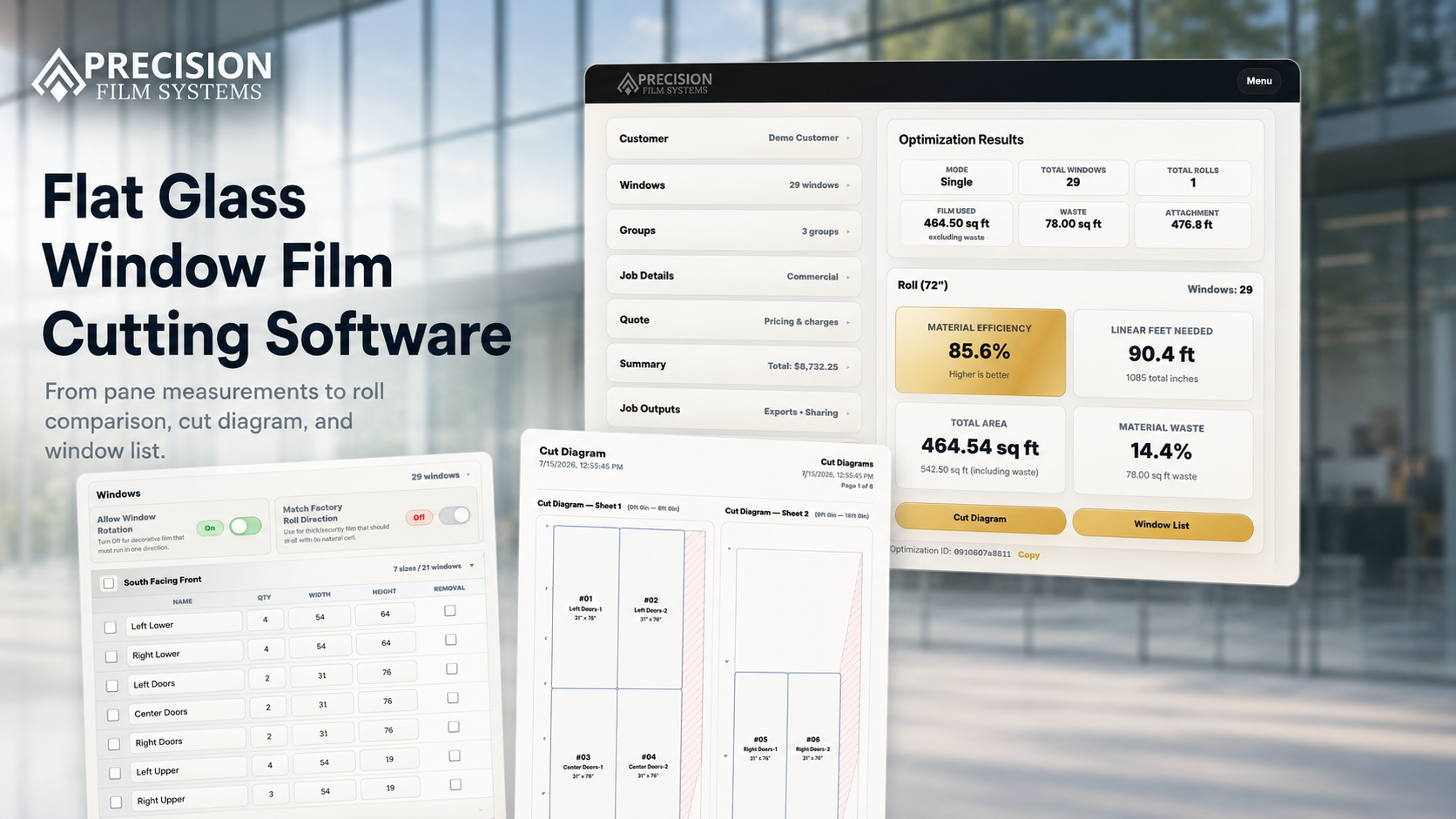
Flat glass software starts with measurements-even when the shop also tints vehicles.
Many tools described as window film cutting software are designed around automotive workflows. Precision Film Systems complements those tools by handling the flat glass work that starts from measured pane sizes, quantities, film selection, roll widths, linear feet, cut-layout waste, and output the shop can hand off.
Precision Film Systems focuses on that material-planning layer. It does not replace installer judgment, manufacturer guidance, compatibility review, or the systems a shop already uses to run the rest of the business.
The tool should match the job source.
Residential and commercial flat glass jobs are measured for the property. The planning workflow has to keep those measurements connected to the roll decision and the cut output.
Measured panes
Enter actual widths, heights, quantities, groups, and film details from the job instead of starting from a make and model.
Roll-width comparison
Run the same pane list against selected standard roll widths and review fit, linear feet, efficiency, and cut-layout waste.
Cut diagram output
Keep the selected layout connected to window numbers, groups, and job information so the plan can travel past the screen.
What flat glass cutting software needs to show.
The useful comparison is not whether software can place rectangles tightly. The shop needs to know whether the layout fits the real material decision.
-
Fit
Which roll widths can handle every pane, and which options are partial plans?
-
Linear feet
How much roll length does the proposed layout use for the full job?
-
Waste visibility
Where is cut-layout waste created, and how is it different from leftover roll remainder?
-
Handoff
Can the selected plan support ordering, cutting, job notes, and crew output?
Not every cutting tool is solving the same problem.
Automotive tint software can be strong for vehicle patterns. Generic nesting tools can pack shapes. A flat glass planning tool needs to keep pane measurements, groups, roll widths, material numbers, cut diagrams, and job output connected.
The best way to compare is with a job your shop already knows. Enter the measurements and review whether the output lines up closely enough to be useful.
| Tool type | Typical starting point | Flat glass planning gap | Better test |
|---|---|---|---|
| Automotive tint software | Vehicle patterns | Does not start from measured building panes and roll-width job groups. | Check whether it handles architectural pane lists and job output cleanly. |
| Generic nesting software | Shapes on a sheet or roll | May not carry film, groups, fit warnings, order length, remainder, and handoff context. | Compare whether the result supports quoting, ordering, cutting, and install prep. |
| Precision Film Systems | Measured flat glass panes | Focused on the material-planning layer, not a full CRM or compatibility approval system. | Run a completed job and compare the output against your records. |
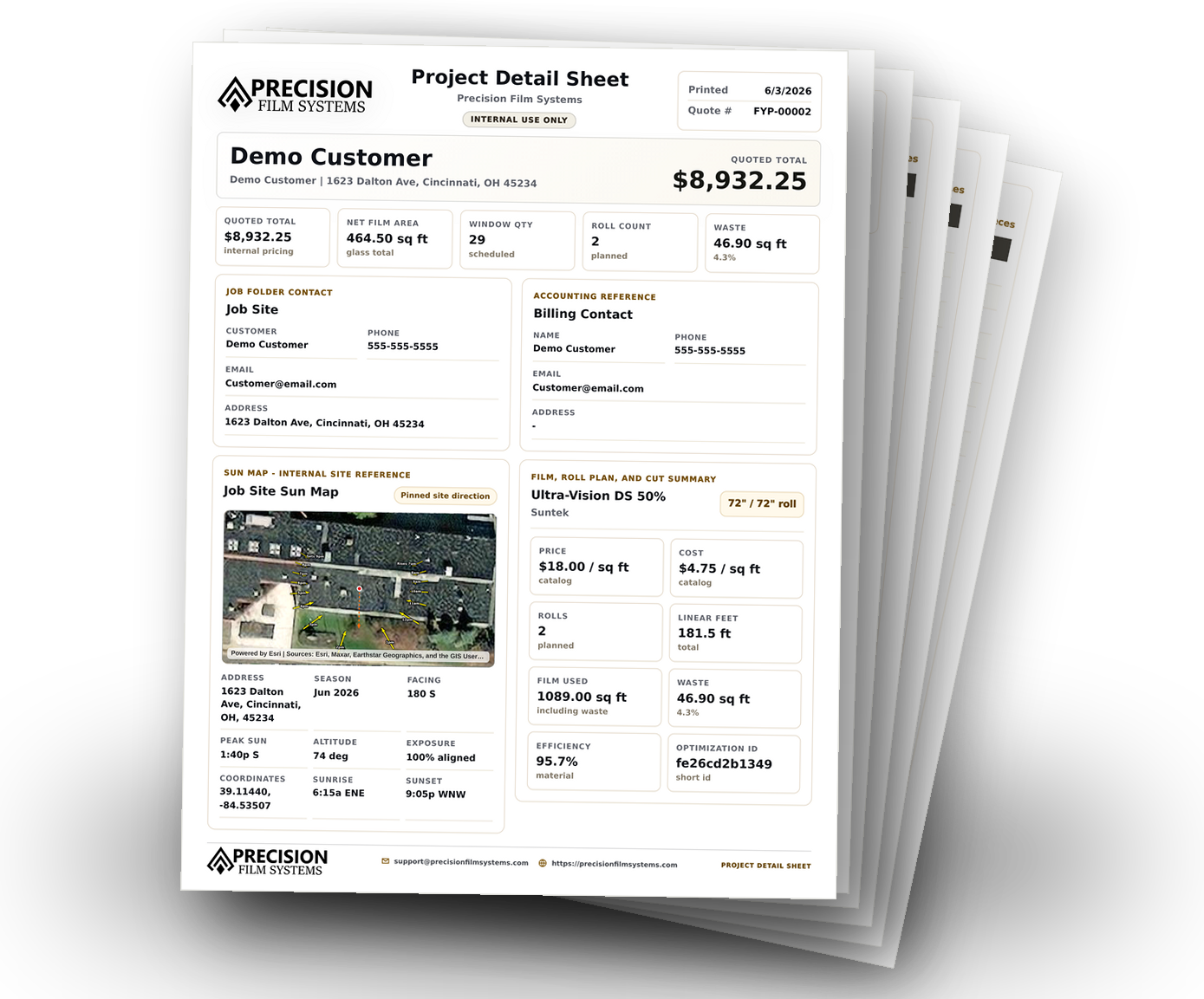
A focused planning layer for architectural film jobs.
Precision Film Systems helps organize measured panes, quantities, groups, film details, roll-width comparison, linear feet, cut-layout waste, cut diagrams, and window lists.
With Shop, measured project data can be reused across independent Scopes, selected films, exact estimate revisions, recorded customer responses, Film Handler planning, and verified output. Optional tools include finite Film on Hand, the user-managed Film Catalog, pricing and tax presets, Job Photos, and Sun Map. Generated production output checks plan currentness, while finalized estimates remain revision snapshots. The app still leaves the final material decision with the shop.
- Compare selected standard roll widths from one measured pane list.
- Review fit warnings, linear feet, material efficiency, and cut-layout waste.
- Open cut diagrams and window lists tied back to the job measurements.
- Use a completed job in the demo to compare against your current process.
Use it for the measured flat glass planning layer.
Good fit for
- Residential and commercial flat glass shops planning from measured pane lists.
- Automotive tint shops that also do-or are preparing to add-flat glass work.
- Teams comparing 36, 48, 60, and 72 inch roll-width options.
- Installers who want cut diagrams and window lists connected to job information.
Not meant to be
- An automotive pattern library or vehicle-template workflow.
- A full CRM, scheduling, accounting, or invoicing system.
- A guarantee that one roll width is always best or every source of waste can be removed.
- A substitute for installer judgment, compatibility review, or manufacturer guidance.
Questions shops ask about cutting software.
Short answers for comparing architectural window film planning tools and demoing Precision Film Systems with a real job.
What is flat glass window film cutting software?
Flat glass window film cutting software helps measured architectural panes move into roll-width comparison, linear-foot planning, waste visibility, cut diagrams, and window lists.
Is Precision Film Systems automotive tint cutting software?
It is not vehicle-pattern software. Precision Film Systems handles the measured residential and commercial flat glass side of a tint shop. Automotive shops can use it for the flat glass work they already perform or plan to add.
Do I need a plotter to use the cut planning workflow?
No. Precision Film Systems creates material comparisons, cut diagrams, and window lists. The shop can use that output whether material is cut by hand, prepared in the shop, or handled through another process.
How should I compare the software against my current process?
Use a completed job. Enter the same pane sizes and compare roll width, linear feet, fit warnings, waste, cut diagram, and remainder against the way the job was actually planned.
Compare the software with a job your shop already finished.
Run one completed flat glass job through the core Solo and Flex optimizer to review standard roll-width options, film metrics, cut diagrams, and the window list. Shop features and settings are not included in the demo.