
How it works
A simple workflow built for installers: enter windows, choose a roll strategy, build a cut plan, then use diagrams and cut sheets to stay consistent on the job.
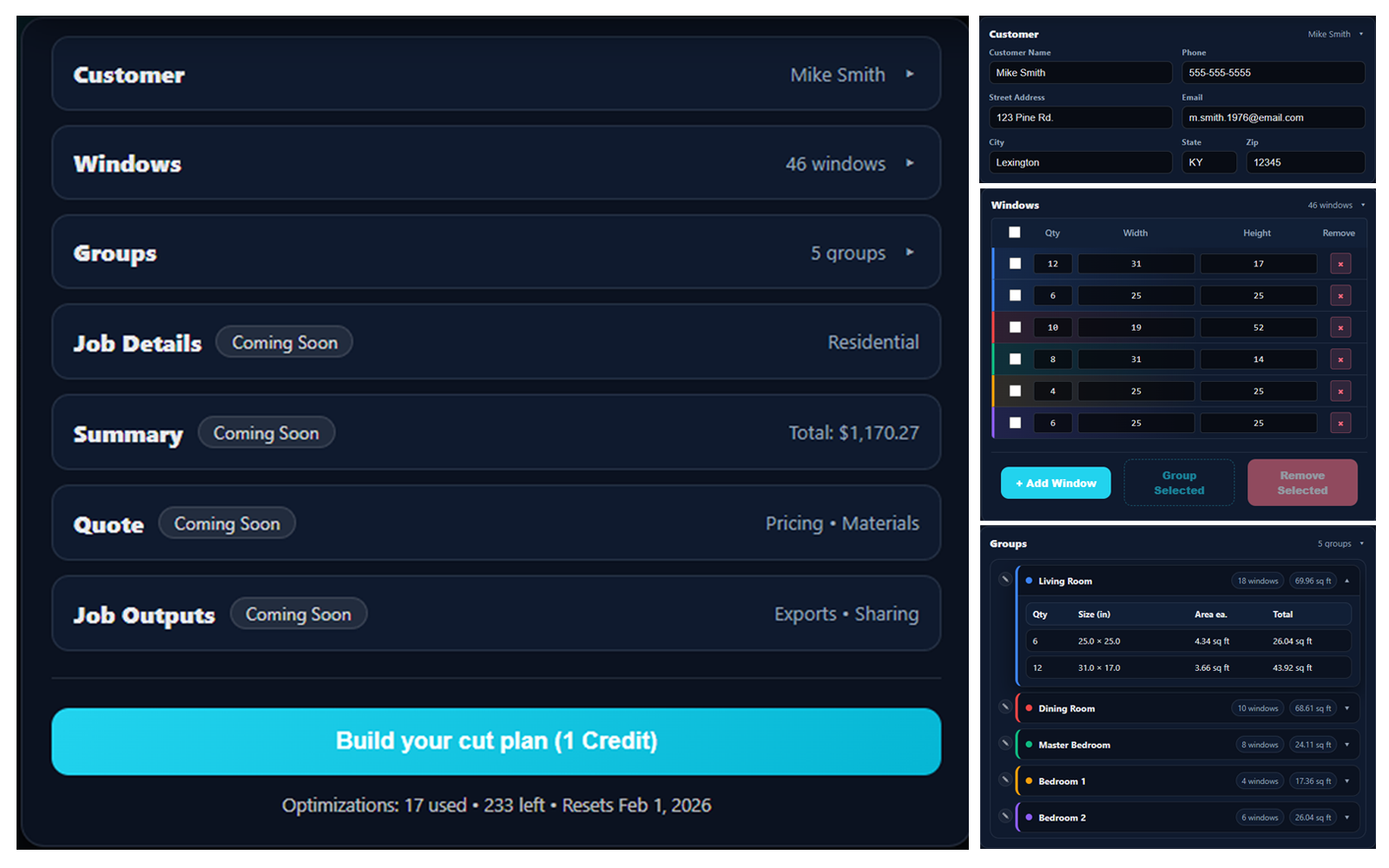
1) Add windows (and groups when you need them)
Enter sizes and quantities fast. Groups help you keep rooms, elevations, or floors organized.
Tap to zoom
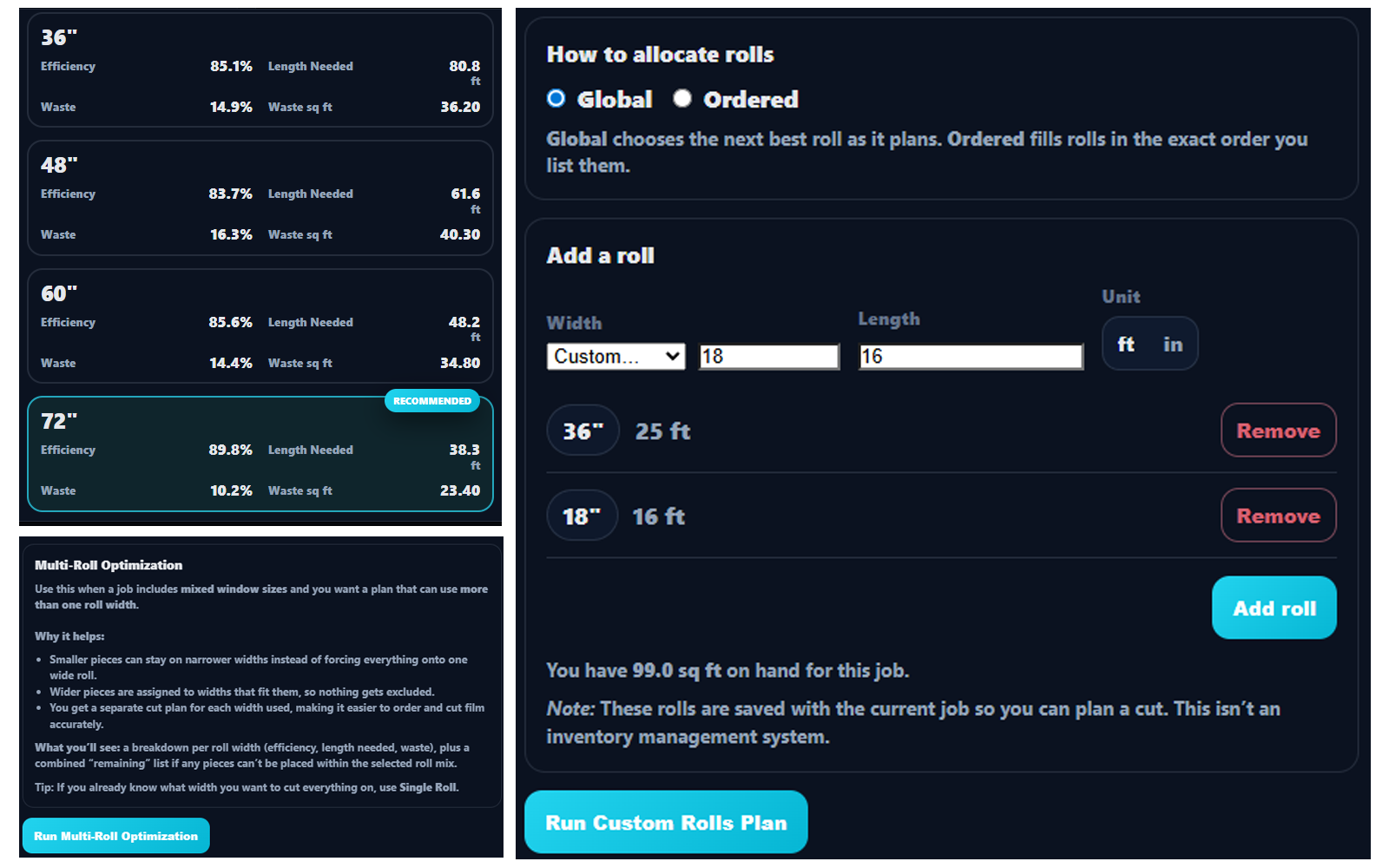
2) Choose your roll strategy
Run a single-roll plan, compare multi-roll options, or (Shop plan) build a plan from custom roll sizes you already have on hand.
Tap to zoom
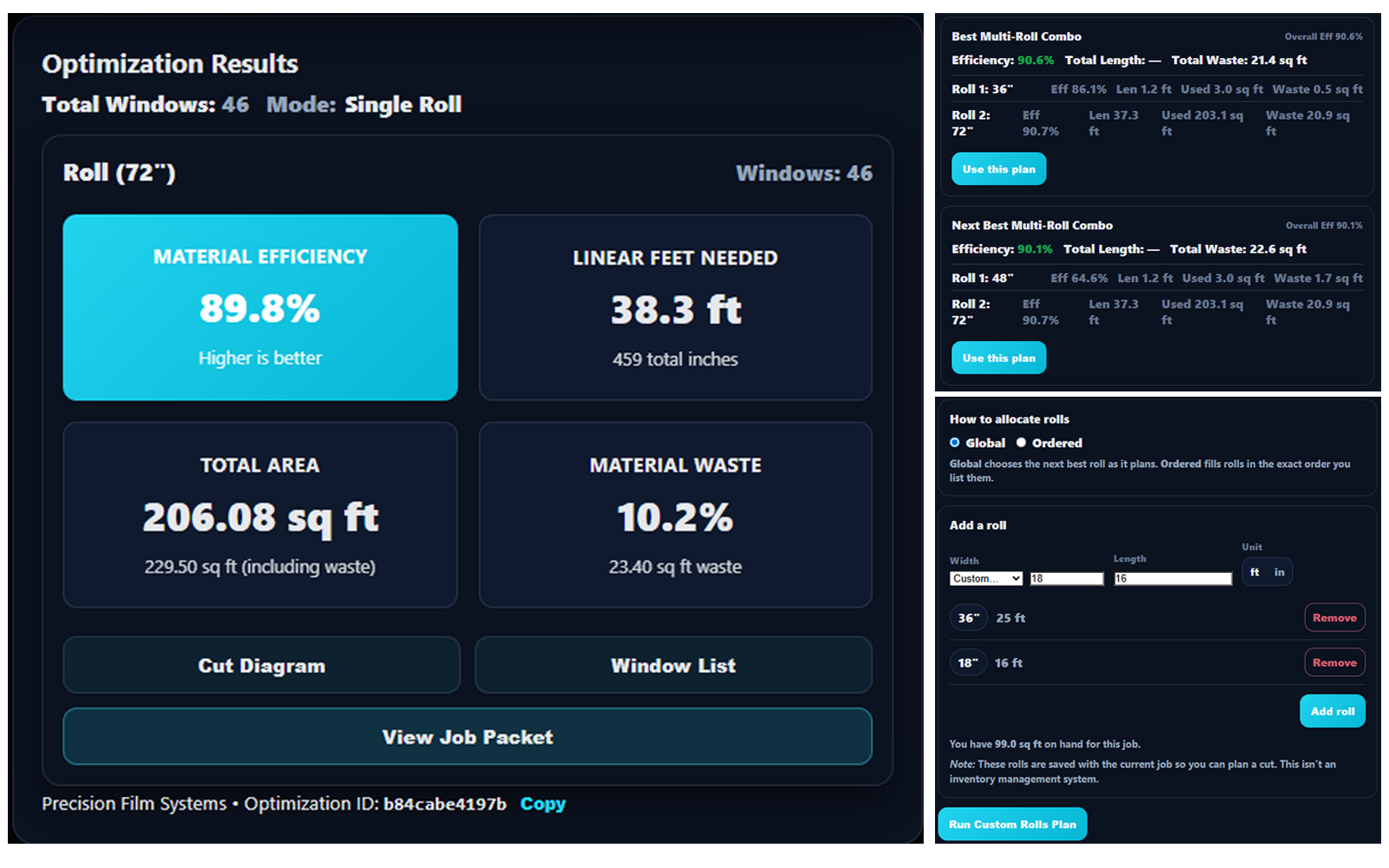
3) Build your cut plan and review metrics
See efficiency, linear feet, and waste at a glance -- then pick the plan that matches the job and the film you want to use.
Tap to zoom
4) Use diagrams + cut sheets on the install
Cut diagrams and window lists keep your team aligned. Printing and export are available inside the app for subscribed accounts.
Screenshot coming soon -- Diagram
Ready to pick a plan?
Start with Solo or Shop. Upgrade anytime. Pro features are listed for visibility and will be available later.